
Actions with records
Let's check the example of actions with different records within the Sales app.
First view that will be opened after we enter the Sales app is the list of Quotations.
Here each quotation may be opened as a separate document or we can pick a few quatations, or all of them to perform some actions:
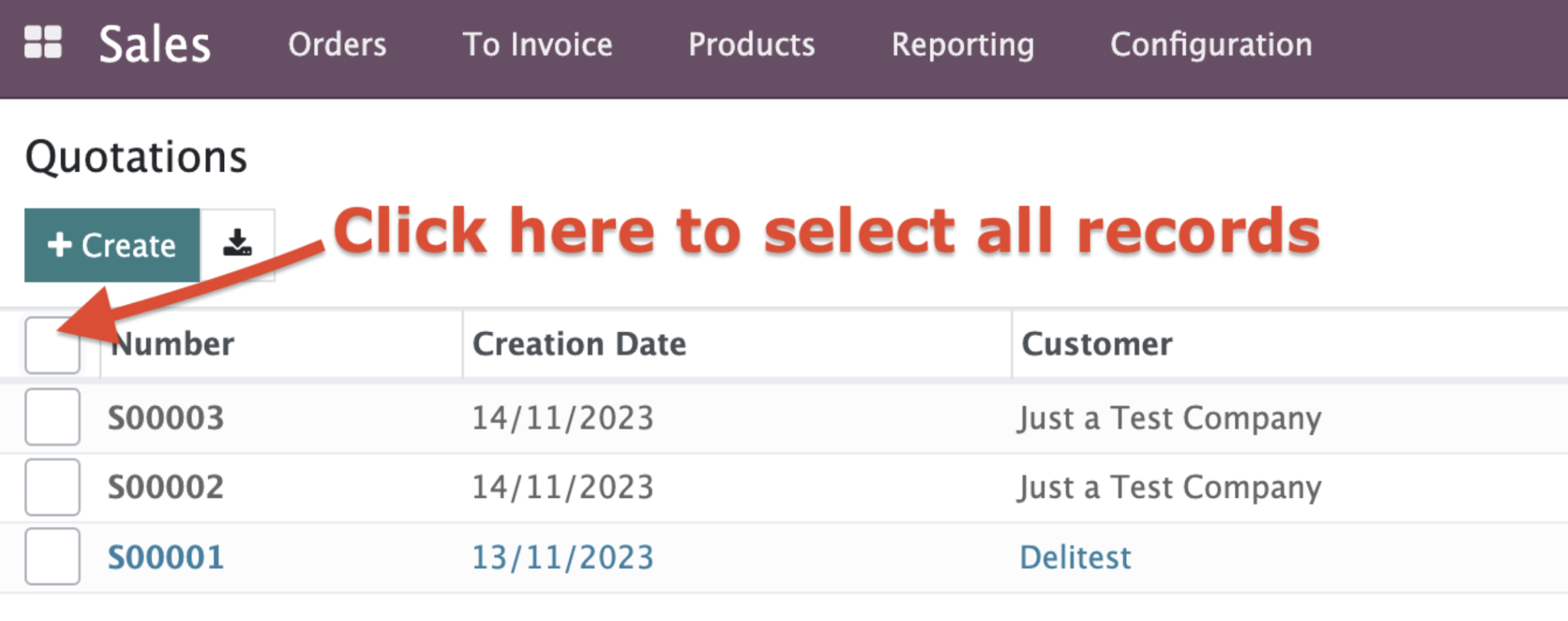
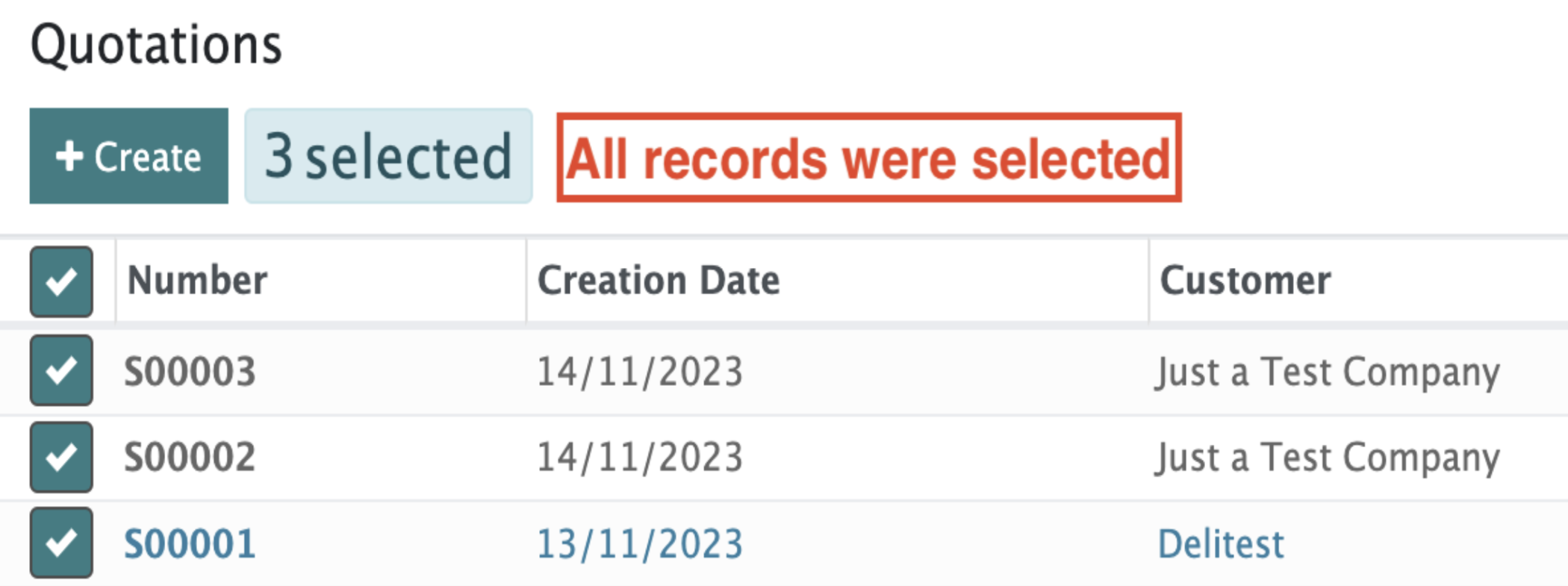
If at least one record is selected from the list the "Action" and "Print" buttons will appear at the top of the screen.

We have the option to print the data from the selected records, by clicking on the “Print” button.

By selecting the “Action” button, we can mostly Export or Delete records, plus have some other options connected to the current app.
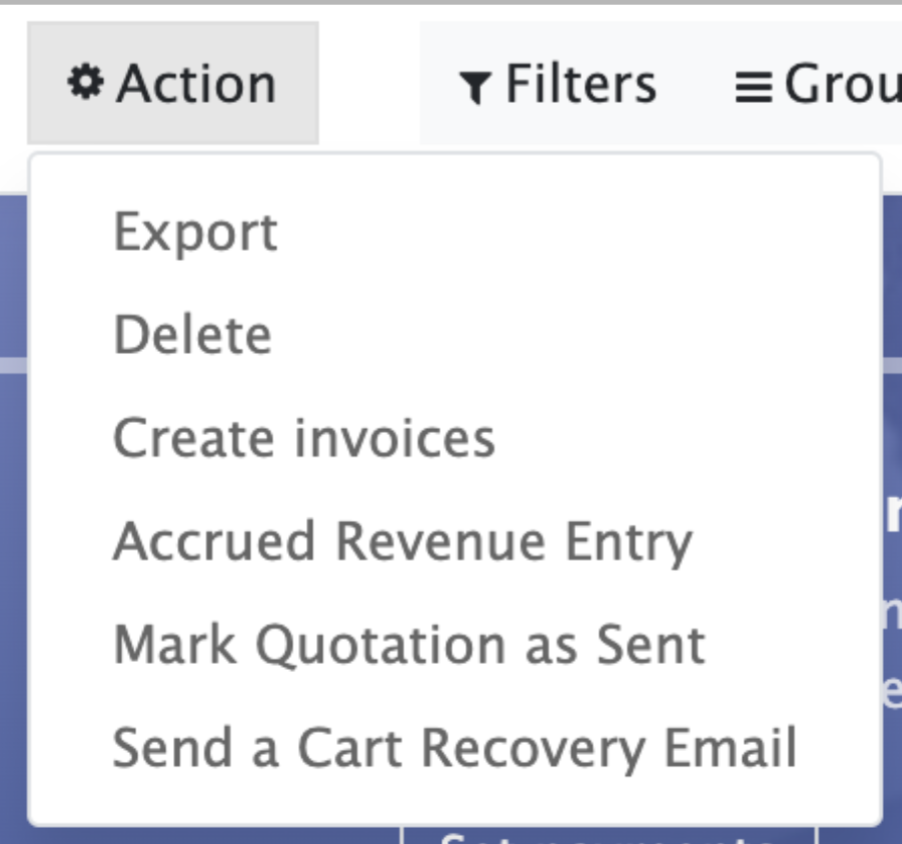
For example, here we have several Sales app-specific actions that allow us to easily send a Cart Recovery Email, Create Invoices, and much more.