
Inventory Ajustments
Inventory Adjustment serves the purpose of ensuring that the inventory records accurately reflect the physical inventory on hand, thereby improving inventory management, compliance, and operational efficiency for businesses.
To add Product to Inventory stock manually, first create Product Template.
Then go to Inventory app > Operations > Inventory Adjustments > click “create”:
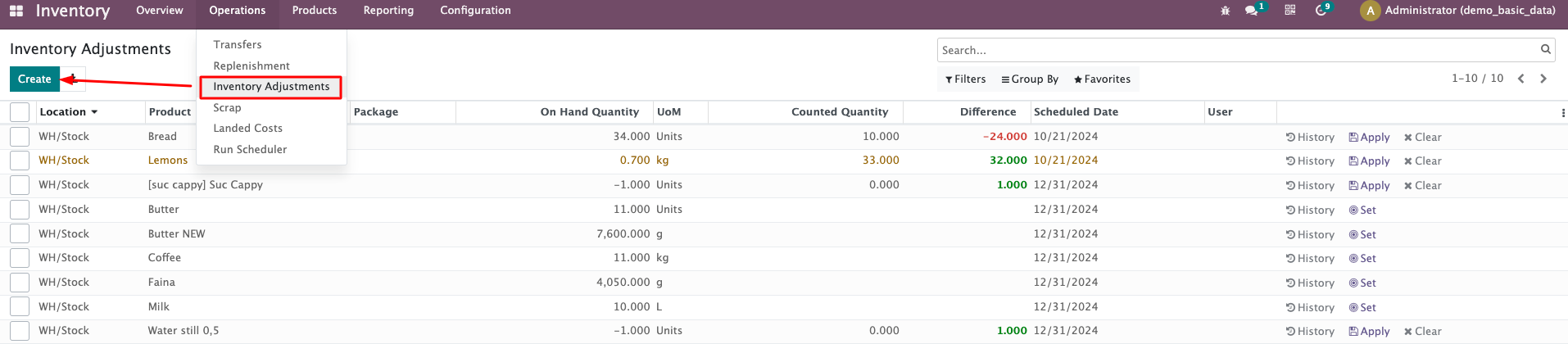
Then add Product and set the counted quantity.
If you need to change the existing quantity on hand: first change the field “counted quantity” then click “Apply”:
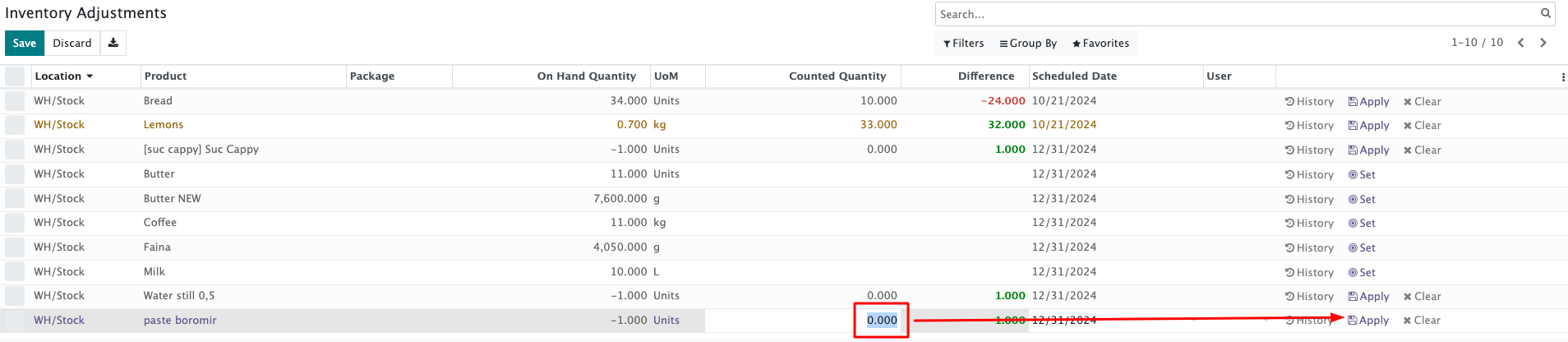
Let’s check what do the next buttons mean:

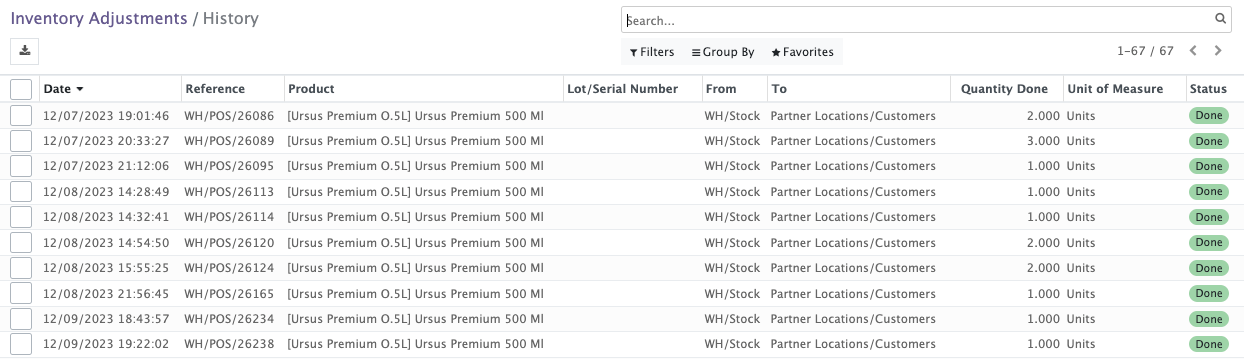
"History" will show the history of the adjustments:
Apply button - if you click it, the option to clear the adjustment is removed, the counted numbers will be set as “On Hand”
If you click the “Set” button, "Clear" is available once more and can be used to undo the adjustment.