
Scrap
Scrap functionality can be found in Inventory -> Operations -> Scrap

Click Create to create a new order.
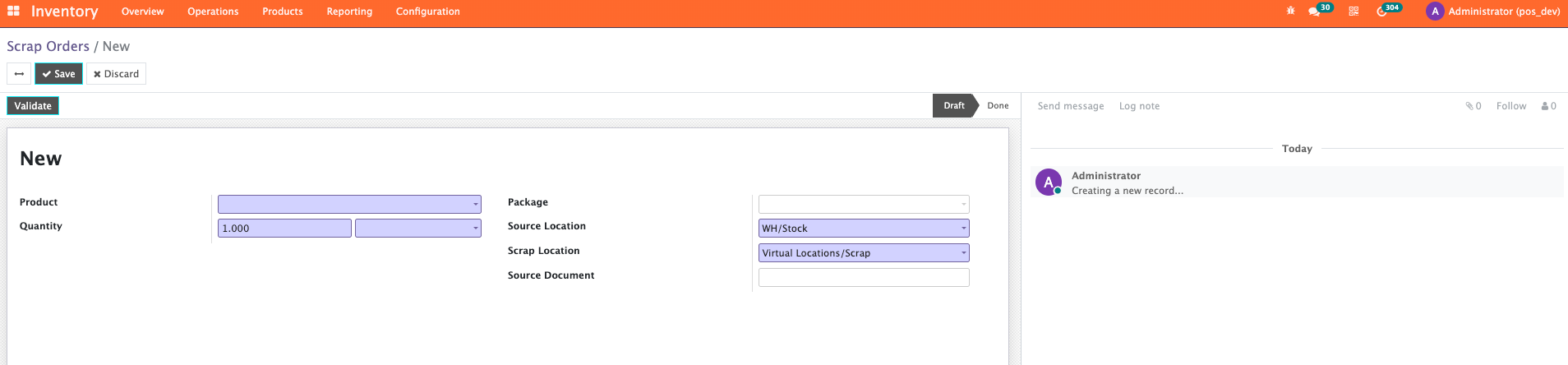
Here:
- Select the product being scrapped from the Product drop-down menu.
- Enter the quantity in the Quantity field.
- Source Location defaults to the location where the product is stored.
- Scrap Location defaults to Virtual Locations/Scrap.
Either of these 2 (Source Location and Scrap Location) can be changed by selecting a different location from their respective drop-down menus.
Finally, click Validate to scrap the product.
Check Inventory -> Operations -> Scrap
On the following screen, any scrap orders will be shown in a list.

Check the quantity of the respective product at stock: Inventory -> Operations -> Inventory Adjustments -> On Hand Quantity of the product column
